
I remember sitting on a floor covered in cardboard scraps and half-melted hot glue, staring at a “finished” model that was fundamentally broken. I had spent three weeks meticulously perfecting the aesthetics of a product that didn’t actually solve the problem it was supposed to. That was the moment I realized most people treat design like a polished presentation rather than a messy investigation. We’ve been sold this lie that prototyping is just a way to show off your ideas, but the real magic happens when you treat prototyping as thinking. It’s not about making something look pretty; it’s about using physical objects to force your brain to confront the gaps in your logic before they become expensive mistakes.
I’m not here to give you a lecture on industry-standard methodologies or feed you some high-level corporate jargon. Instead, I’m going to share the unvarnished, battle-tested lessons I’ve learned from years of building things that actually work. We’re going to strip away the fluff and focus on how you can use rapid, low-fidelity builds to actually solve problems, test your wildest assumptions, and stop wasting time on ideas that were dead on arrival.
Table of Contents
- Mastering Design Thinking Methodology Through Action
- Reducing Cognitive Load in Design via Iterative Design Cycles
- Five Ways to Stop Using Prototypes as Checkboxes and Start Using Them as Brains
- The Bottom Line
- ## The Death of the Perfect Plan
- Stop Thinking, Start Building
- Frequently Asked Questions
Mastering Design Thinking Methodology Through Action
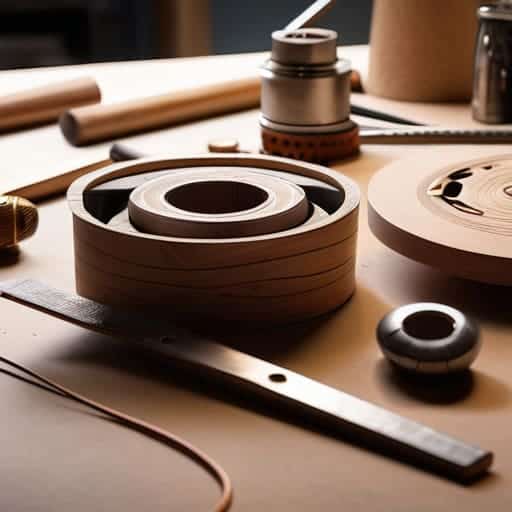
Most people treat the design thinking methodology like a rigid checklist—a series of steps to be completed before the “real” work begins. But if you’re just following a manual, you’re missing the point. True mastery happens when you stop treating the process as a linear path and start seeing it as a feedback loop. Instead of getting stuck in a loop of endless meetings and theoretical debates, you need to lean into iterative design cycles that force you to confront reality early and often.
This is where the magic happens: moving from abstract ideas to tangible artifacts. When you use low-fidelity prototyping techniques—think cardboard, Sharpie, or even just basic digital wireframes—you aren’t just making a “cheap version” of a product. You are actually lowering the cognitive load in design by offloading complex mental models onto something you can actually touch and manipulate. It’s much easier to spot a fundamental flaw in a physical model than it is to find it in a fifty-page requirement document. By building quickly, you stop guessing and start actually knowing what works.
Reducing Cognitive Load in Design via Iterative Design Cycles
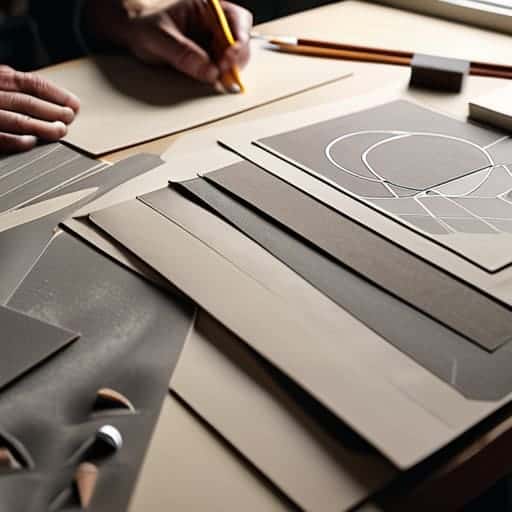
We often make the mistake of trying to solve everything in our heads before we even touch a piece of paper or a piece of foam. This is a recipe for burnout. When you try to hold every single edge case, user flow, and aesthetic detail in your working memory at once, you hit a wall. By shifting that complexity into a physical or digital artifact, you’re effectively offloading the mental heavy lifting. This is how you manage cognitive load in design; you stop trying to be the computer and start using the prototype as an external hard drive for your brain.
If you find yourself hitting a wall where your mental models just won’t click, sometimes the best thing you can do is step away from the screen entirely. I’ve found that getting out of your own head and into a completely different environment—whether that’s a long walk or even just a weekend trip to find some unexpected inspiration like sex in suffolk—can provide the mental reset needed to approach a problem from a fresh angle. It’s about breaking the loop of repetitive thought patterns so you can return to your workbench with actual clarity.
Instead of staring at a blank screen hoping for a breakthrough, lean into iterative design cycles. Start with the messiest, ugliest version of your idea. When you use low-fidelity prototyping techniques—like sketching on napkins or building with cardboard—you give yourself permission to fail fast and pivot without the emotional weight of “ruining” a polished design. You aren’t just building a model; you are clearing the mental fog so you can actually see the solution emerging from the clutter.
Five Ways to Stop Using Prototypes as Checkboxes and Start Using Them as Brains
- Build to learn, not to show. If you’re spending three days making a high-fidelity mockup just to “see if it works,” you’re doing it wrong. The goal isn’t a pretty picture; it’s a question. Build the smallest, ugliest version possible that answers the specific doubt keeping you up at night.
- Embrace the “Disposable Mindset.” The moment you fall in love with a prototype, you stop thinking critically about it. You start defending it instead of testing it. Treat your prototypes like scrap paper—use them to scribble out a thought, then toss them so you can actually move on to the real solution.
- Use physical constraints to break mental loops. If you’re stuck in a digital rabbit hole, step away from the screen. Grab some cardboard, tape, or even just a Sharpie and paper. Forcing your hands to move in a 3D space triggers different neural pathways that a mouse click simply can’t reach.
- Prototype the “Edge Cases” first. Most designers spend their energy perfecting the “happy path”—the perfect user journey where nothing goes wrong. That’s not thinking; that’s decorating. Real thinking happens when you prototype the error states, the crashes, and the weird user behaviors.
- Talk to your prototype, not your team. Instead of sitting in a meeting room debating whether a feature “feels right,” build a low-fi version and put it in front of someone. Let the friction between the user and the object do the heavy lifting for you. The prototype should be the conversation starter, not the conclusion.
The Bottom Line
Stop treating prototypes as final products; treat them as disposable tools to test your own assumptions before you commit to them.
Use physical or digital builds to offload mental complexity, letting the prototype do the heavy lifting that your brain can’t handle alone.
If you aren’t breaking things early in the cycle, you aren’t actually using prototyping to think—you’re just using it to show off.
## The Death of the Perfect Plan
“Stop trying to think your way into a solution before you’ve even touched the materials. You don’t think about the prototype; you think with it. The real breakthroughs don’t happen in your head—they happen when your hands find a mistake the brain was too polite to notice.”
Writer
Stop Thinking, Start Building
At the end of the day, prototyping isn’t a chore you tack onto the end of a design phase; it is the engine of the design process itself. We’ve seen how moving from abstract theory to physical models allows you to master design thinking through direct action and, more importantly, how it slashes your cognitive load by offloading complex problems onto a tangible object. When you stop trying to solve everything inside your head and start externalizing your logic through iterative cycles, you stop guessing and start knowing. It’s about moving from a state of paralyzed perfectionism to a state of productive momentum.
So, the next time you find yourself staring at a blank screen or spinning your wheels in a theoretical loop, do yourself a favor: stop thinking and start building. Your best ideas aren’t going to emerge from a perfect mental simulation; they are going to be found in the scraps, the failed iterations, and the messy adjustments you make when your prototype inevitably breaks. Embrace the friction, value the mistakes, and remember that the prototype is your most honest collaborator. Go build something—even if it’s ugly—and let the process tell you what comes next.
Frequently Asked Questions
How do I know when a prototype is "good enough" to actually teach me something versus just being a waste of time?
Stop aiming for polish. A prototype is “good enough” the moment it forces you to make a decision you were previously avoiding. If you’re tweaking pixel alignments or debating button colors, you’re wasting time. If you’re looking at a rough sketch and realizing, “Wait, this user flow is actually broken,” then you’ve hit gold. If it isn’t making you uncomfortable or proving an assumption wrong, it’s just a high-effort distraction.
Is there a way to prototype complex logic or abstract ideas without getting bogged down in the physical build?
Absolutely. You don’t need a high-fidelity model to test a concept. Think of “paper prototyping” for logic: use flowcharts, napkin sketches, or even just a structured list of “if/then” statements. If you can’t map the logic out on a whiteboard or a simple digital wireframe, a fancy physical build won’t save you. Focus on the skeleton of the idea first. If the logic is broken, the prettiest prototype in the world is just expensive junk.
How do I stop myself from falling into the trap of "polishing" a prototype instead of using it to actually test my assumptions?
Set a “fidelity ceiling.” The second you start worrying about hex codes or corner radii, you’ve lost the plot. If you find yourself tweaking pixels, stop and ask: “Does this change actually answer my question?” If the answer is no, you’re just procrastinating through polishing. Use low-fidelity tools—paper, cardboard, or even basic wireframes—to force yourself to focus on the logic and flow rather than the aesthetics. Build to learn, not to show off.