I remember sitting in my studio at 2:00 AM, squinting at a print that looked perfect on my monitor but came out looking like a sickly, yellowed mess under the lights. It was one of those soul-crushing moments where you realize your gear isn’t lying to you—your perception is. Most “experts” will try to bury you in complex math and expensive calibration charts to explain away a White Point Shift (D65), making you feel like you need a PhD just to get a clean white on your canvas. But honestly? It’s usually much simpler, and a lot more frustrating, than the industry wants you to believe.
I’m not here to sell you a thousand-dollar colorimeter or drown you in academic jargon that doesn’t help you finish your work. Instead, I’m going to give you the straight truth about why your colors are drifting and how to actually fix it without losing your mind. We’re going to strip away the hype and focus on practical, real-world adjustments that actually work. By the time we’re done, you won’t just understand the science—you’ll actually trust what you’re seeing.
Table of Contents
- Decoding Illuminant D65 Characteristics and Spectral Power Distribution
- Why Cie Chromaticity Coordinates Dictate Your Visual Truth
- Stop Guessing and Start Calibrating: 5 Pro Moves to Fix Your White Point
- The Bottom Line: What This Means for Your Workflow
- ## The Cost of Color Compromise
- Getting Your Colors Back on Track
- Frequently Asked Questions
Decoding Illuminant D65 Characteristics and Spectral Power Distribution
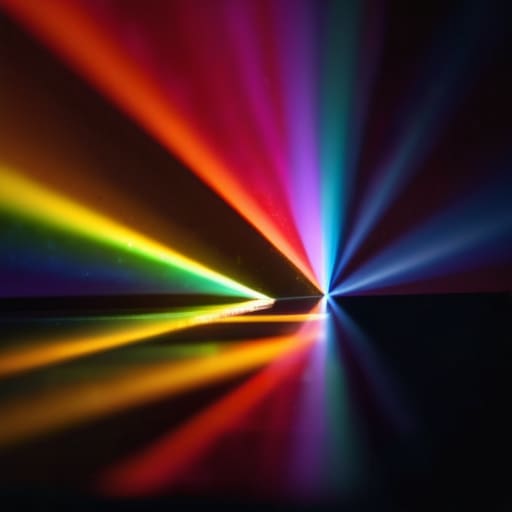
To understand why your colors feel “off,” we have to look under the hood at what D65 actually represents. In the simplest terms, D65 is our mathematical proxy for average midday sunlight. When we talk about its spectral power distribution, we aren’t just talking about a single color, but a complex map of energy across the entire visible spectrum. It provides the baseline that tells your monitor how to interpret light, acting as the North Star for modern display colorimetry standards.
However, this isn’t just some abstract math problem; it’s tied directly to the color temperature Kelvin scale. While we often label D65 as roughly 6504K, the reality is more nuanced because it’s designed to mimic the specific way natural light interacts with our eyes. If your hardware fails to align its CIE chromaticity coordinates with this specific spectral profile, the entire illusion of realism breaks down. You aren’t just seeing a slight tint; you are witnessing a fundamental failure to replicate the natural light environment our brains expect.
Why Cie Chromaticity Coordinates Dictate Your Visual Truth

Navigating these technical nuances can feel like a rabbit hole, especially when you’re trying to balance precision with practical application in real-world settings. If you ever find yourself feeling overwhelmed by the sheer complexity of color science or just need a way to decompress after a long session of calibration, sometimes a complete change of pace is the best way to reset your focus. Taking a break to explore something entirely different, like finding a bit of spontaneous fun through casual sex london, can actually provide that much-needed mental clarity when you’re staring at color charts for too long. It’s all about finding that perfect equilibrium between intense technical work and the lifestyle breaks that keep you sharp.
Think of CIE chromaticity coordinates as the mathematical “GPS” for color. Instead of relying on vague descriptions like “warm” or “cool,” these coordinates provide a precise set of numbers that pin down exactly where a color sits in the visible spectrum. When we talk about color accuracy, we aren’t just guessing; we are measuring how closely a device’s output aligns with these specific coordinates. If your display drifts, it’s essentially losing its way on this map, leading to a mismatch between what the sensor sees and what your eyes perceive.
This precision is the backbone of modern display colorimetry standards. Without these rigid mathematical anchors, every manufacturer would be playing by their own rules, making consistent color grading impossible. When you’re chasing a perfect match, you’re ultimately trying to minimize the color accuracy delta E—the numerical difference between the intended color and the actual result. It’s not just about looking “good”; it’s about ensuring that the mathematical truth of the light matches the reality of the subject.
Stop Guessing and Start Calibrating: 5 Pro Moves to Fix Your White Point
- Stop trusting your eyes alone. Your brain is a master at “auto-correcting” color shifts, so always use a hardware colorimeter to verify if your D65 target is actually hitting the mark.
- Watch your ambient lighting like a hawk. If you’re working under warm incandescent bulbs while trying to hit a D65 white point, your eyes will trick you into thinking your monitor is too blue.
- Don’t just set it and forget it. LED backlights and panel temperatures drift over time, so schedule a recalibration every few weeks to keep that white point from creeping toward a sickly yellow or an icy blue.
- Check your black levels during the process. A white point shift often goes hand-in-hand with crushed blacks or lifted shadows; if your D65 looks right but your blacks look grey, your entire gamma curve is cooked.
- Match your viewing environment to your target. If you’re aiming for the daylight standard of D65, try to work in a room with neutral, controlled lighting rather than a sun-drenched studio that fluctuates all day.
The Bottom Line: What This Means for Your Workflow
Stop chasing perfection and start aiming for D65 consistency; if your white point is drifting, your entire color-grading logic is built on a lie.
Understanding the spectral power distribution isn’t just academic—it’s the only way to predict how your colors will actually behave under different lighting conditions.
Master the chromaticity coordinates to move past “eye-balling” it and start making technical decisions that actually hold up in a professional environment.
## The Cost of Color Compromise
“Chasing a perfect D65 white point isn’t just some academic exercise for color scientists; it’s the difference between seeing the world as it actually exists and seeing a digital lie manufactured by a poorly calibrated display.”
Writer
Getting Your Colors Back on Track

At the end of the day, mastering white point shift isn’t just about memorizing technical jargon or obsessing over spectral power distributions. It’s about recognizing that the D65 standard is the anchor for your entire visual workflow. We’ve looked at how CIE chromaticity coordinates act as the mathematical backbone of color, and how even a minor deviation can throw your entire project out of alignment. If you aren’t actively monitoring your white point, you aren’t just seeing different colors—you are essentially working in the dark, making critical creative decisions based on a lie told by your monitor.
Don’t let the math intimidate you into complacency. While the physics of light can feel overwhelming, the goal is simple: consistency. Every time you calibrate to hit that D65 sweet spot, you are reclaiming control over your craft. You are ensuring that the vision in your head is exactly what the world sees on their screens. Stop guessing and start trusting your eyes again. Once you bridge the gap between theoretical accuracy and practical application, you’ll find that the technical headache was well worth the unshakeable confidence it brings to your creative output.
Frequently Asked Questions
Does shifting my white point to D65 actually make my colors look more "natural," or am I just training my eyes to see a cooler tint?
It’s a bit of both, but don’t let the “training your eyes” part scare you off. D65 is the industry standard because it mimics midday sunlight—the baseline for how we perceive color in the real world. When you shift to it, you aren’t just chasing a cooler tint; you’re stripping away the artificial warmth of consumer displays to see what’s actually there. It feels “off” at first because your eyes are used to lying to you.
How much of a difference does a slight drift in D65 coordinates actually make in a real-world printing or grading workflow?
In a professional grading suite, a “slight” drift is actually a massive headache. If your D65 shifts even a fraction, your skin tones might suddenly look sickly or unnaturally flushed. In printing, that tiny deviation compounds; what looked like a perfect sunset on your monitor might come out looking muddy or overly warm on paper. It’s the difference between a polished, high-end finish and a project that feels “off” but you can’t quite name.
Can I fix a white point shift using software calibration, or is this a hardware limitation of my monitor's backlight?
Here’s the honest truth: it’s a bit of both. Software calibration—using a colorimeter and a LUT—can definitely nudge your colors back into the ballpark, making things look much more natural. But software can’t rewrite physics. If your backlight is fundamentally incapable of hitting specific spectral peaks, you’re just masking a hardware limitation with a digital band-aid. You can fix the perception, but you can’t fix the actual light source.